ERP systems, MRP tools, APS platforms, and MES software all get lumped together under "production planning," but they operate at fundamentally different layers of the operation. Picking the wrong one doesn't just mean overpaying — it means your schedulers spend hours manually reworking plans that should've worked the first time.
This comparison breaks down each tool category by what it actually does, where it breaks down, and which operations it fits best.
Key Takeaways
- ERP and MRP tools handle business-level planning — materials, procurement, and financials — but struggle with real-time shop floor execution.
- APS and finite scheduling tools sequence jobs against real machine, shift, and setup constraints that MRP ignores.
- Most manufacturers need both layers: ERP for supply-side coordination, finite scheduling for shop floor sequencing.
- Spreadsheets are a costly middle ground — they can't model constraints and break down fast as job complexity grows.
- The right choice depends on where your current planning process actually breaks down.
Production Planning Tools: Quick Overview
No single tool category does everything well. The table below identifies which layer of the operation each category is built to address — not which one is "best."
| Tool Category | Primary Scope | Scheduling Depth | Shop Floor Fit | Implementation Complexity | Best-Fit Operation |
|---|---|---|---|---|---|
| ERP Systems | Enterprise-wide (procurement, finance, inventory, production) | Infinite capacity / MRP-driven | Low — plans require manual adjustment | High | High-volume, stable demand, make-to-stock |
| MRP Tools | Material requirements, work orders, inventory | Infinite capacity | Low — limited constraint modeling | Medium | Predictable demand, standardized runs |
| APS / Finite Scheduling | Shop floor sequencing and capacity optimization | Finite — respects real constraints | High — built for execution-layer scheduling | Medium to High (varies by tool) | High-mix, low-volume, job shops, custom orders |
| MES Platforms | Real-time plant floor management and data capture | Execution tracking, not primary scheduling | Very High — records and directs floor activity | High | Plants needing real-time production data |
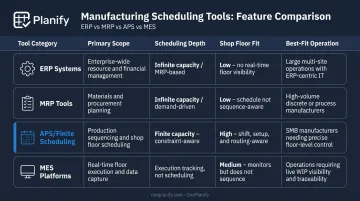
Each category handles a distinct layer: ERP and MRP set the material and capacity plan, APS and finite scheduling turn that plan into a sequence the floor can actually execute, and MES tracks what happens in real time. Gaps appear when one layer is missing or when tools from different layers don't communicate — which is where most scheduling problems start.
ERP and MRP Systems: Business-Level Planning Tools
ERP systems (SAP, Oracle, NetSuite) connect production with procurement, inventory, finance, and demand forecasting across the entire enterprise. Production planning inside an ERP is typically MRP-driven: the system calculates what materials are needed and when, based on bills of materials and open sales orders.
MRP tools are a lighter-weight sub-category of that same logic. Standalone systems like Katana MRP, MRPeasy, and Fishbowl focus specifically on material requirements, inventory control, and work order management. They're well-suited for predictable demand and standardized production runs where financial integration matters more than scheduling precision.
Where ERP and MRP Fall Short on the Shop Floor
The University of Cambridge Institute for Manufacturing puts it directly: infinite-capacity scheduling (the approach used in MRP II) starts with customer due dates and then attempts to reconcile the result with available resources. Finite scheduling loads work only within actual available capacity from the start. That distinction matters when your machines have real constraints.
In practice, SME's 2024 manufacturing publication describes manufacturers routinely downloading weekly ERP schedules into Excel for manual review and prioritization because the schedule becomes unworkable the moment equipment fails, materials run short, workers are unavailable, or setups run long. What's viable on paper rarely survives first contact with the floor.
Specific gaps include:
- No real-time constraint modeling: ERP assumes resources can always absorb more work
- Setup times ignored or averaged: changeover is invisible to most ERP schedulers
- Routing dependencies underenforced: downstream operations can be scheduled before upstream ones finish
- Calendar blindness: many ERP scheduling modules treat the floor as running 24/7
Use Cases Where ERP and MRP Excel
ERP and MRP tools are the right fit when:
- Demand is relatively stable and production runs are standardized
- The primary challenge is procurement timing, inventory coordination, or financial integration
- Make-to-stock production dominates the operation
- The shop floor schedule doesn't require frequent real-time adjustment
For these environments, ERP handles what it was built for. Trouble starts when that same system gets stretched into dynamic, high-mix shop floor scheduling — territory where its infinite-capacity assumptions break down fast.
APS and Finite Scheduling Software: Shop Floor-Level Planning
Advanced Planning and Scheduling (APS) and finite scheduling tools operate on different logic than MRP. Instead of assuming resources can always absorb more work, these systems schedule production orders against the actual, finite capacity of each machine, work center, and operator — accounting for setup times, shift patterns, changeovers, and disruptions as they happen.
The APICS/ASCM definition describes APS as software using advanced mathematical algorithms for optimization and simulation across finite-capacity scheduling, sourcing, resource planning, and demand planning. Gartner's 2024 Market Guide for Detailed Manufacturing Scheduling notes this category is gaining increased interest as manufacturers work to reduce production delays and improve scheduling precision.
Finite vs. Infinite: Why the Distinction Matters
MRP assumes a resource can always absorb more work. It produces a mathematically clean plan that the floor then has to improvise around.
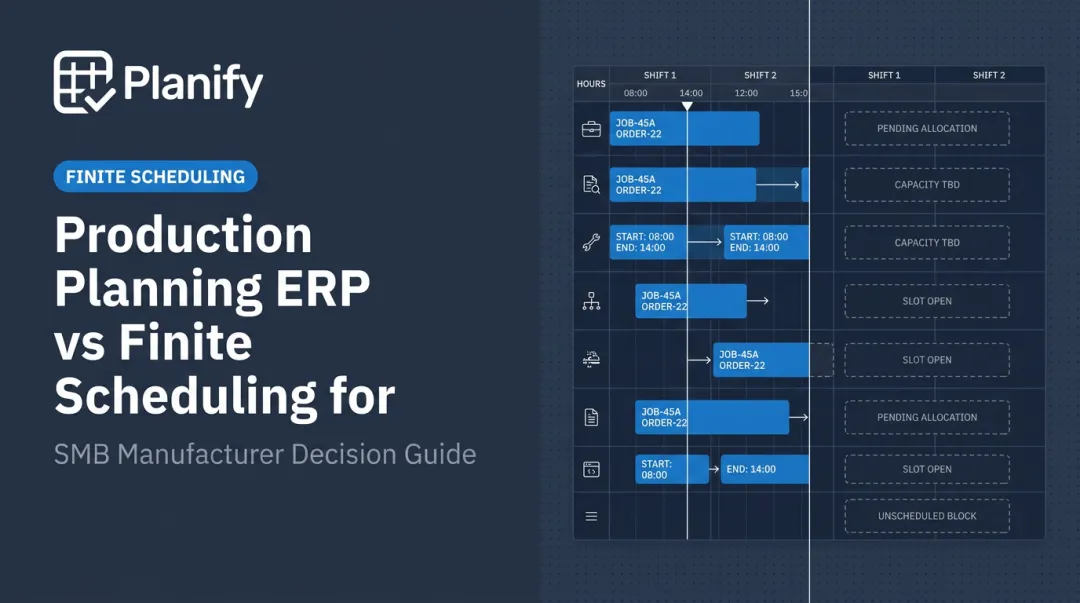
Finite scheduling builds the plan from real constraints. It knows that Machine A runs two shifts, that Job A → Job B requires 45 minutes of changeover while Job A → Job C requires only 15, and that Op 20 cannot start before Op 10 finishes. The result is a schedule the shop floor can actually execute.
This gap matters most in high-mix, low-volume environments where job complexity makes manual adjustment impractical.
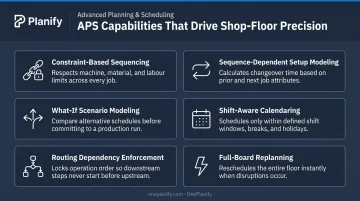
Key Features That Distinguish APS Tools
- Constraint-based sequencing — jobs are scheduled against real machine and labor limits
- Sequence-dependent setup modeling — changeover time varies by job pair, not a generic average
- What-if scenario modeling — planners can test disruption responses before committing changes
- Shift-aware calendaring — no job gets scheduled on a shift that doesn't exist
- Routing dependency enforcement — predecessor locks prevent downstream ops from starting early
- Full-board replanning in seconds — rather than hours of manual Excel rework
The Accessibility Gap — and What's Closing It
Legacy APS systems have historically been complex, expensive, and IT-intensive. Applied Composites' first APS implementation, documented by Siemens, failed because the organization struggled to adapt to a scheduling approach fundamentally different from its ERP. That implementation burden is real, and it's driven demand for simpler, faster-to-deploy alternatives.
OnePlanify's Planify platform targets exactly this gap: comprehensive finite scheduling (setups, shift changes, routing dependencies, rush order replanning) delivered through a spreadsheet-familiar interface. US and Canadian manufacturers can be running within weeks via browser-based SaaS, with onboarding included and no IT project required.
Use Cases Where Finite Scheduling Is the Right Fit
- High-mix, low-volume job shops with complex routing sequences
- Custom manufacturers running parent/child work order dependencies
- Operations with frequent changeovers or tight sequencing constraints
- Any plant where ERP-generated schedules are routinely overridden on the floor because they don't reflect real capacity
ERP/MRP vs. APS/Finite Scheduling: What Should You Prioritize?
The right question isn't which tool category wins — it's which layer of your operation is actually failing you.
The Layers Model
Most manufacturers don't have to choose one or the other. These tool categories serve complementary purposes:
- ERP/MRP covers the business-level planning layer: demand, materials, procurement, and financial integration
- APS/finite scheduling covers the execution layer: who builds what, on which machine, in what order, right now
The ERP knows what needs to be made and when materials will arrive. The finite scheduler knows whether the machines and labor can actually execute that plan on Tuesday, given the three setups already queued for the afternoon shift.
Situational Recommendations
Choose ERP/MRP if:
- Your primary challenge is materials coordination, procurement timing, and financial visibility
- Your shop floor runs relatively stable, high-volume production
- Schedule disruptions are infrequent and manageable manually
Choose APS/finite scheduling if:
- Your shop floor schedule breaks down daily due to setups, machine constraints, or disruptions
- Your planners spend significant time manually reworking schedules after every disruption
- ERP-generated schedules are regularly overridden on the floor
Choose both in combination if:
- You're a mid-to-large manufacturer with real materials coordination needs and complex shop floor scheduling demands
- Your operation needs supply-side planning from ERP and execution-side sequencing from a finite scheduler working alongside it
The Spreadsheet Trap
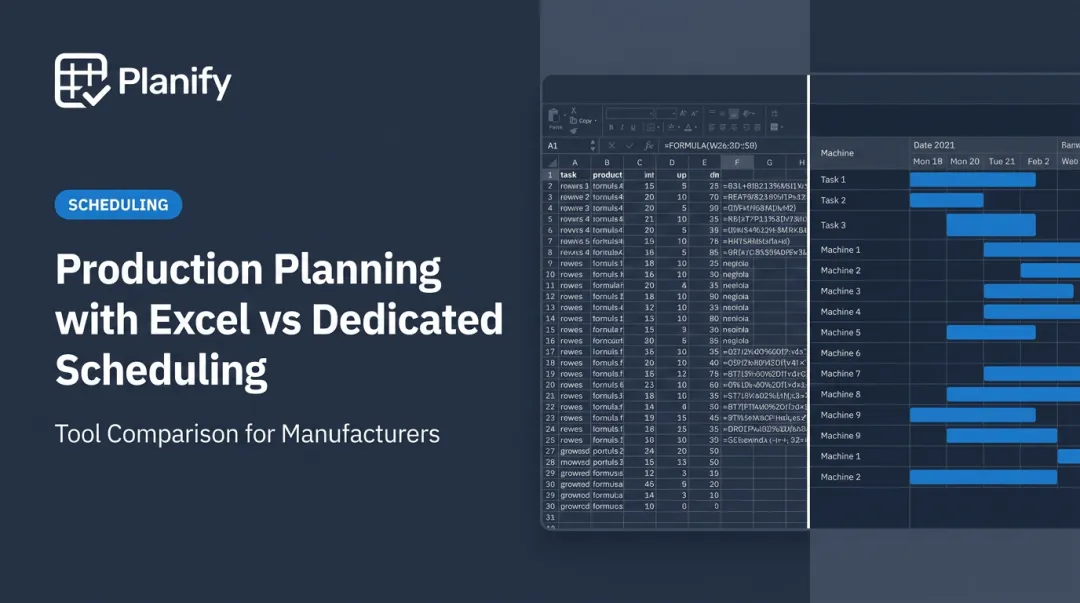
Many manufacturers who don't fit neatly into those categories default to Excel as a middle ground — but that workaround has a ceiling. The problem is that spreadsheets can't model setup times, shift calendars, or multi-operation routing dependencies. A schedule showing 85% utilization on paper can run at 60% utilization in reality — precisely because changeover is invisible in a spreadsheet.
When disruptions hit, rebuilding an Excel schedule manually takes hours and routinely drops constraints in the process. As the Fabricator reported from Harrison Manufacturing, an aerospace fabrication shop relying on whiteboards and spreadsheets experienced late deliveries and poor visibility — challenges resolved after adding finite-capacity scheduling, which produced nearly 20% more output and eliminated the need for an additional shift.
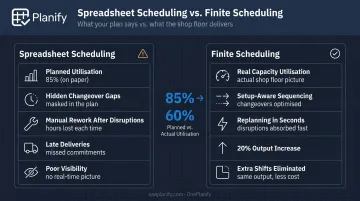
If your constraints include setups, shift changes, or multi-operation routing, a spreadsheet will hide the problems rather than solve them.
Real-World Scenario: When Shop Floor Complexity Demands More Than MRP
Consider a job shop running complex multi-step routings — laser cutting, welding, finishing — across separate work centers. The ERP generates a weekly schedule that looks reasonable on paper. Then a machine goes down Monday morning.
The planner now has to manually figure out which of the 40 affected jobs can move to another cell, which setups are compatible with available machines, whether the next shift has capacity, and which customer due dates are now at risk.
In Excel, that's three to four hours of rework — and even then, the rebuilt plan likely misses setup windows or violates shift boundaries.
This is exactly the pattern Applied Composites experienced before implementing finite scheduling. Their ERP and MRP system didn't treat tooling as a constraint, and supervisors relied on tribal knowledge to schedule manually. Orders could disappear from usable schedules entirely. After implementing Opcenter APS, Applied Composites reported 96–98% average on-time delivery and scheduling time reduced from hours to minutes — covering more than 30,000 operations.
The decision trigger tends to look the same across shops: the real bottleneck isn't materials. It's that every disruption demands hours of manual rescheduling, and the plan published each morning has already diverged from reality by lunch.
If that pattern sounds familiar, a finite scheduling layer is likely what's missing. OnePlanify's Planify platform is built specifically for US and Canadian manufacturers in this position — job shops and mixed-mode operations that have outgrown spreadsheets and need real finite scheduling without a six-month implementation project.
If your team regularly overrides the ERP-generated schedule, it's time to see what a dedicated finite scheduling layer can do.
Conclusion
ERP and MRP tools are essential for business-level production planning — managing materials, procurement, inventory, and financial coordination across the enterprise. They weren't designed to handle the real-time complexity of a dynamic shop floor, and expecting them to creates the planning-execution gap most manufacturers know well.
APS and finite scheduling tools exist specifically for that execution layer. Start by diagnosing where your current planning process actually breaks down. If it breaks at the materials and procurement level, strengthen your ERP or MRP layer. If it breaks every time a machine goes down or a rush order arrives, that's a finite scheduling problem — and the right tool, like OnePlanify, is built to handle exactly that complexity.
Frequently Asked Questions
What are production planning tools?
Production planning tools are software systems that help manufacturers organize schedules, allocate resources, and coordinate materials to meet production targets. They range from ERP and MRP systems handling business-level planning to APS and finite scheduling platforms built for shop floor execution.
What is the difference between MRP and APS in production planning?
MRP calculates material requirements based on demand and inventory using infinite capacity assumptions, meaning it assumes resources can always absorb more work. APS and finite scheduling optimize the actual sequence of production jobs against real machine and labor constraints, making them better suited for dynamic shop floor scheduling.
When should a manufacturer use finite scheduling software instead of relying on MRP?
Finite scheduling becomes necessary when a shop floor regularly deals with high-mix jobs, frequent changeovers, machine dependencies, or disruptions that cause MRP-generated schedules to be overridden on the floor. If the plan and the floor consistently diverge, MRP alone isn't enough.
Can finite scheduling tools work alongside an existing ERP system?
Yes — most finite scheduling tools are designed to complement ERP systems, not replace them. The ERP handles demand, materials, and procurement while the finite scheduler handles execution-level sequencing. OnePlanify's Planify, for example, integrates with Epicor, NetSuite, SYSPRO, and others via CSV, API, or database read patterns.
What features should a shop floor planner look for in a production scheduling tool?
The most important capabilities include:
- Constraint-based sequencing and routing dependency enforcement
- Real-time rescheduling after disruptions or rush orders
- Sequence-dependent setup and changeover handling
- Shift-aware calendaring
A tool the planner won't use daily — because it's too complex or too slow — provides no value regardless of its theoretical capabilities.