Finite Scheduling
Build realistic schedules that account for work center capacity, setups, run times, shifts, and operation dependencies, replacing spreadsheet guesses with a plan the shop floor can actually execute.

Planify by OnePlanify helps job shop manufacturers replace fragile spreadsheets and infinite-capacity ERP schedules with a living, finite production schedule. Built for real shop floor constraints—setups, shifts, routings, dependencies, and disruptions—it gives planners a browser-based way to sequence work confidently, see impact fast, and keep production moving without a long IT project.
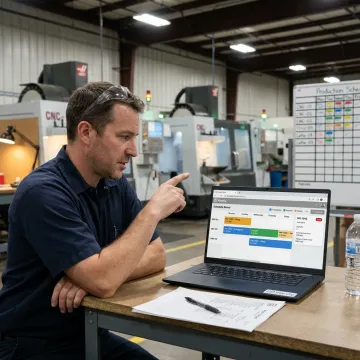
Planify covers the core scheduling constraints that make job shop production difficult to plan reliably.
Build realistic schedules that account for work center capacity, setups, run times, shifts, and operation dependencies, replacing spreadsheet guesses with a plan the shop floor can actually execute.
Model rush orders, machine downtime, and priority changes before committing. Planify replans the board in seconds so planners can see downstream impact and choose the best response.
Place work inside real shift calendars, overtime rules, holidays, closures, and workforce availability so jobs never land on shifts or crews that do not exist.
Account for sequence-dependent setup times, teardown, move time, and changeover windows. Group compatible jobs so machines spend more time producing and less time being re-tooled.
Enforce multi-operation routings and parent-child work order relationships so downstream steps never begin before upstream operations are complete, even after disruption replanning.
Pull work orders, routings, and work center data from your ERP, then use Planify as the finite scheduling layer your existing system was not built to be.
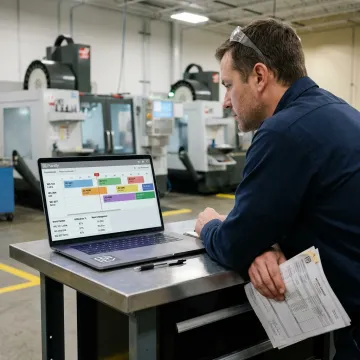
Start by requesting a meeting with the OnePlanify team. You’ll share how your floor works, including work centers, routings, shifts, ERP data, current scheduling methods, and the constraints that make planning difficult today.
Planify gives job shop planners realistic schedules without enterprise APS complexity.
Planify simplifies comprehensive finite scheduling into a workspace planners can use confidently.
Built specifically for setups, shifts, dependencies, disruptions, and real shop floor complexity.
Small-batch onboarding helps teams run a real schedule without drawn-out consulting.
Pretend mode lets planners test changes before committing schedule-wide impacts.
A focused team building practical scheduling software.
OnePlanify built Planify for manufacturers that need serious finite scheduling without the complexity of a traditional APS implementation. The product is focused on the day-to-day realities of job shop production: changing priorities, setup-heavy work centers, multi-step routings, shift constraints, and disruptions that can make a spreadsheet obsolete by lunch. Instead of forcing teams into a long consulting cycle, OnePlanify uses small-batch onboarding to help manufacturers connect production data and run a real schedule quickly. Its vision is simple: make comprehensive finite scheduling as easy to use as a spreadsheet, while giving planners the constraint-aware intelligence needed to publish schedules the floor will actually follow.
Job shop scheduling is the process of sequencing custom or low-volume work orders across machines, departments, people, and due dates. Unlike repetitive production, job shops deal with changing priorities, unique routings, setups, and dependencies. Effective job shop scheduling must account for finite capacity, shift calendars, operation order, and disruptions so the published schedule matches what the floor can realistically run.
Share your scheduling challenges with the OnePlanify team.

Browser-based scheduling with no on-prem installation.
Hands-on onboarding for smoother implementation.
Connects with ERP work orders and routings.
Tell the OnePlanify team about your floor, routings, work centers, and scheduling challenges. We’ll help you understand whether Planify fits your job shop and what onboarding would look like.
To help us assist you faster, please include the reason for your message so the relevant team can reach out as soon as possible.
To help us assist you faster, please include the reason for your message so the relevant team can reach out as soon as possible.