Finite Scheduling
Plan work orders against real capacity, setup time, shift calendars, and multi-operation dependencies so published schedules match what your shop can actually run.

Planify by OnePlanify helps manufacturers replace fragile spreadsheet schedules with finite, constraint-aware planning built for real shop floor complexity. Model capacity, setups, shifts, routing dependencies, and rush-order disruption in a browser-based workspace that feels familiar to planners—so you can publish schedules the floor can actually run.
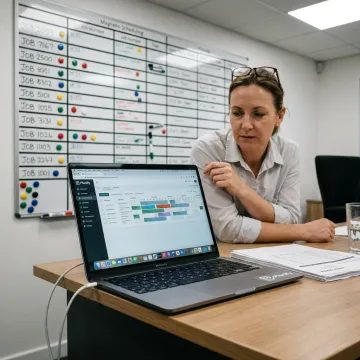
Explore Planify capabilities for finite scheduling, ERP-connected planning, disruption response, shifts, setups, and routing dependencies.
Plan work orders against real capacity, setup time, shift calendars, and multi-operation dependencies so published schedules match what your shop can actually run.
Model rush orders, breakdowns, or priority changes before committing. Pretend mode shows downstream impact, helping planners choose the least disruptive option.
Schedule jobs inside real first, second, and third shift calendars, including overtime rules, holidays, weekend closures, and workforce availability constraints.
Sequence compatible jobs together and model exact changeover times, helping machine shops reduce re-tooling gaps and improve honest utilization.
Enforce operation order and cross-work-order dependencies, ensuring downstream steps never begin before upstream production is complete.
Connect work orders, routings, and work-center data from your ERP so Planify becomes the practical scheduling layer alongside existing systems.
Planify gives manufacturers a practical path from spreadsheet firefighting to reliable finite scheduling. Instead of treating capacity as infinite, it schedules around real work centers, setup times, shifts, routings, and disruption. Your planners can test rush orders, protect dependencies, and publish a board that reflects the messy reality of the shop floor.

Planify combines serious finite scheduling power with practical usability for manufacturing teams.
Built specifically for setups, shifts, dependencies, rush orders, and real manufacturing complexity.
Finite scheduling logic presented in a workspace planners can understand quickly.
Connect ERP work orders and routings without replacing the system you already use.
Small-batch onboarding helps teams run a real schedule without prolonged consulting.
Meet the team behind Planify scheduling software.
OnePlanify created Planify for manufacturers whose daily scheduling reality is too complex for spreadsheets and too practical for heavyweight APS projects. The product focuses on comprehensive finite scheduling that remains easy for planners to understand and use. Planify is built around the constraints that matter on the shop floor: setups, shift changes, routing dependencies, work-center capacity, rush orders, and disruption. Instead of requiring an on-prem installation or a separate IT project, the browser-based platform is implemented through hands-on small-batch onboarding. The vision is simple: give manufacturing teams a living, trustworthy schedule that reflects what the floor can actually run.
Planify is built for job shops that need finite scheduling without a long APS implementation. It models real constraints such as capacity, setup time, shift calendars, routing dependencies, and disruptions, then presents the schedule in a spreadsheet-familiar browser workspace. That combination helps planners move beyond static Excel files while avoiding the complexity of enterprise scheduling modules.
Talk with the team about your schedule, ERP, and shop floor constraints.

Purpose-built for complex shop floor scheduling.
Runs securely in the browser without installation.
Hands-on implementation delivered in manageable cohorts.
Request a scoping conversation to see Planify run on your work orders, routings, work centers, and shift calendars.
To help us assist you faster, please include the reason for your message so the relevant team can reach out as soon as possible.
To help us assist you faster, please include the reason for your message so the relevant team can reach out as soon as possible.