Finite Scheduling
Sequence work orders forward or backward from due dates while respecting real capacity, setup time, shift calendars, and multi-operation dependencies across your shop floor.

Planify by OnePlanify gives manufacturers and job shops finite production scheduling that reflects real capacity, setups, shifts, dependencies, and disruption. Built to feel familiar like a spreadsheet, it helps planners replace fragile Excel boards and infinite-capacity ERP schedules with a browser-based planning workspace they can trust on busy shop floors without a separate IT project.
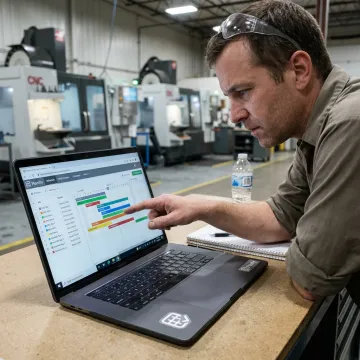
Explore planning capabilities that help manufacturers build realistic schedules around capacity, labor, setups, and disruption.
Sequence work orders forward or backward from due dates while respecting real capacity, setup time, shift calendars, and multi-operation dependencies across your shop floor.
Model rush orders, downtime, and priority changes before committing. Pretend mode shows downstream impact so planners can choose the least disruptive schedule adjustment.
Schedule work inside real calendars for first, second, and third shifts, including overtime rules, holidays, closures, and workforce availability constraints.
Account for sequence-dependent setup, run, teardown, and move times so machines spend more time producing and less time being re-tooled.
Enforce operation sequences, parent-child work orders, and cross-department dependencies so downstream work never starts before upstream operations are complete.
Pull work orders, routings, and work-center data from your ERP, then use Planify as the finite scheduling layer alongside existing systems.
Planify helps planning teams move from reactive spreadsheet firefighting to a living, constraint-aware production schedule. It models what actually governs the floor—capacity, routings, setups, shift calendars, overtime, and work order dependencies—then lets planners re-sequence quickly when demand changes. The result is a schedule foremen can follow, leaders can explain, and customers can be promised with confidence.
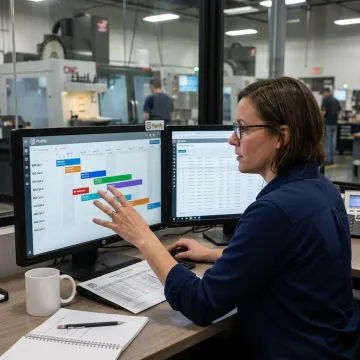
Planify combines comprehensive finite scheduling logic with usability built for busy production teams.
Planners get finite scheduling power in a workspace that feels approachable from day one.
Setups, shifts, dependencies, overtime, and disruption are modeled as everyday planning constraints.
Pretend mode shows downstream impact before teams commit changes to the active board.
Planify works alongside your ERP, importing work orders without rip-and-replace disruption or large IT projects.
Built for planners managing complex shop floor realities.
OnePlanify builds Planify for manufacturers and shop floor operations that need a schedule reflecting real constraints, not theoretical capacity. The product is positioned around a simple idea: comprehensive finite scheduling should be as easy to use as a spreadsheet while still handling the messy reality of setups, shift changes, dependencies, and disruption. Instead of forcing teams into a long consulting program or ERP replacement, Planify runs in the browser and is supported through small-batch onboarding. The company’s focus is practical adoption: help planners connect production data, run a real finite schedule, test what-if scenarios, and publish a board the floor can actually execute.
Planning production software helps manufacturers sequence work orders, assign operations to work centers, and understand whether due dates are achievable. Planify goes beyond simple task lists by modeling finite capacity, setup time, shift calendars, routings, and dependencies. That gives planners a realistic schedule the shop floor can execute, rather than a spreadsheet plan that breaks when priorities change.
Get practical answers about fit, onboarding, and ERP connectivity.

Built around real capacity and production constraints
Designed for complex real-world shop floor operations
Browser-based planning without on-prem installation
Share your current scheduling workflow, ERP environment, and production constraints. The Planify team can help scope the right onboarding path and show how finite scheduling works with your work orders.
To help us assist you faster, please include the reason for your message so the relevant team can reach out as soon as possible.
To help us assist you faster, please include the reason for your message so the relevant team can reach out as soon as possible.