Finite Scheduling
Sequence work orders around real capacity, due dates, setup, run time, move time, shift calendars, and multi-operation dependencies for schedules your floor can actually run.

Planify by OnePlanify helps job shops turn ERP work orders, routings, shift calendars, setups, and dependencies into a finite production schedule planners and foremen can trust. Built for complex shop floors, it gives manufacturers a spreadsheet-familiar scheduling workspace with ERP integration, what-if replanning, and realistic capacity logic without a long consulting project.

A complete scheduling workspace for finite capacity, ERP-connected planning, disruption response, and shop floor execution.
Sequence work orders around real capacity, due dates, setup, run time, move time, shift calendars, and multi-operation dependencies for schedules your floor can actually run.
Pull work orders, routings, and work-center data from your ERP, then use Planify as the focused scheduling layer without replacing core business systems.
Use Pretend mode to model rush orders, machine breakdowns, and disruption scenarios before committing changes to the active production schedule.
Place operations inside real 1st, 2nd, and 3rd shift calendars, including overtime rules, holidays, weekend closures, and work-center exceptions.
Model sequence-dependent setups and changeovers so compatible jobs can be grouped and machines spend more time producing instead of being re-tooled.
Keep operation sequences and parent-child work order dependencies intact so downstream work never starts before required upstream operations finish.
Planify gives job shops a practical scheduling layer between ERP limitations and spreadsheet chaos. It pulls the production data you already manage, applies finite capacity logic, and creates a schedule that respects real work-center constraints. Planners can evaluate rush orders, dependencies, shift changes, and setup windows in one browser-based workspace built for daily shop floor decisions.
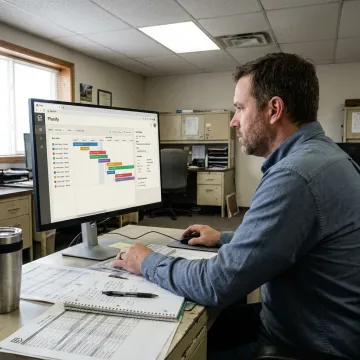
Planify is built for manufacturers that need usable, constraint-aware scheduling fast.
Finite scheduling logic made practical for planners who need accuracy without software complexity.
Models setups, shifts, dependencies, and disruption instead of ignoring shop floor constraints.
Connects ERP production data while avoiding a full rip-and-replace implementation.
Small-batch onboarding helps teams run real schedules in weeks, not quarters.
Built by schedulers for real manufacturing complexity.
OnePlanify builds Planify for manufacturing teams that need comprehensive finite scheduling without the overhead of traditional APS deployments. The product is designed around the messy reality of job shops: setup changes, multi-operation routings, shift exceptions, rush orders, dependencies, and ERP data that must remain the source of truth. Instead of forcing planners into a six-month configuration project, OnePlanify focuses on small-batch onboarding, browser-based access, and a spreadsheet-familiar experience. The vision is straightforward: make finite scheduling practical enough for daily use on complex shop floors, while giving planners a schedule that foremen can trust and production leaders can act on.
Finite scheduling builds a production plan around real capacity instead of assuming every work center is available all the time. For job shops, that means setups, run time, teardown, move time, shift calendars, dependencies, and priority rules are considered before work is sequenced. The result is a schedule the floor can realistically run, not just an ideal plan from an ERP or spreadsheet.
Get clear answers about scheduling, ERP integration, and onboarding.

Purpose-built for real shop floor complexity.
Connects ERP data without rip-and-replace disruption.
Runs in the browser with guided onboarding.
Request a scoping meeting to see Planify run on your own work orders, routings, shifts, and capacity constraints.
To help us assist you faster, please include the reason for your message so the relevant team can reach out as soon as possible.
To help us assist you faster, please include the reason for your message so the relevant team can reach out as soon as possible.