Finite Scheduling
Build realistic production schedules that respect work-center capacity, setups, shifts, due dates, and multi-operation dependencies instead of assuming unlimited machine or labor availability.

Planify by OnePlanify helps manufacturers replace fragile spreadsheets and infinite-capacity ERP schedules with a browser-based finite scheduler built for real shop-floor constraints. Connect ERP work orders, routings, work centers, shift calendars, setups, and dependencies, then replan quickly when rush orders or machine issues change the day. See a schedule your planners trust and your floor can actually run.
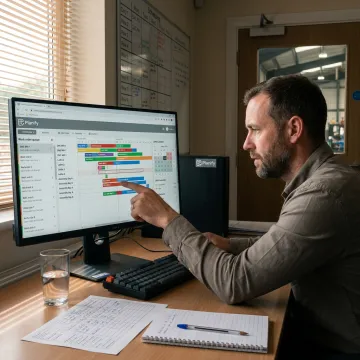
Planify covers finite scheduling, ERP connectivity, shift rules, changeovers, dependencies, and disruption replanning for manufacturing teams.
Build realistic production schedules that respect work-center capacity, setups, shifts, due dates, and multi-operation dependencies instead of assuming unlimited machine or labor availability.
Pull work orders, routings, and work-center data from your ERP, then use Planify as the scheduling layer without replacing your core business system.
Place jobs inside real shift calendars, overtime rules, holidays, and work-center availability so production never lands on time your floor cannot run.
Model sequence-dependent setup times, group compatible jobs, and separate setup, run, teardown, and move time to reduce hidden changeover capacity loss.
Enforce operation sequences and parent-child work order links so downstream steps never begin before required upstream work is completed.
Use Pretend mode to test rush orders, breakdowns, and schedule changes before committing, then replan the board while preserving constraints.
Planify gives manufacturing planners a practical scheduling layer between Excel and heavy APS systems. It connects ERP production data, models finite capacity, and keeps complex constraints visible without forcing a rip-and-replace project. From changeovers and shift calendars to dependent operations and rush-order replans, your team can publish a schedule that reflects the real floor, not an ideal spreadsheet.

Planify is built to make complex manufacturing scheduling practical, usable, and trustworthy.
Planify makes comprehensive finite scheduling approachable with a spreadsheet-familiar, browser-based workspace.
Schedules account for setups, shifts, dependencies, and disruptions that spreadsheets and ERP modules miss.
ERP work order, routing, and work-center data connect during scoped onboarding.
Pretend mode helps planners test disruptions before committing schedule changes to the floor.
Built for manufacturers managing real shop-floor complexity.
OnePlanify created Planify for manufacturing teams that need the power of finite scheduling without the burden of a long APS implementation. The platform is built for the messy reality of shop floors: setup changes, shift calendars, dependent operations, rush orders, and the constant need to replan when conditions change. Instead of forcing manufacturers into a large consulting project, the Planify team delivers small-batch onboarding that helps connect ERP work orders, routings, work centers, and calendars, then runs the first real finite schedule with the customer. The vision is simple: comprehensive finite scheduling that feels as approachable as a spreadsheet, while giving planners the constraint-aware logic they need to schedule with confidence.
ERP scheduler software helps manufacturers turn work orders, routings, work centers, labor availability, and due dates into a usable production schedule. Planify adds finite capacity logic on top of ERP data, so jobs are sequenced around real constraints like setup time, shift calendars, routing dependencies, move time, and disruption. The goal is a schedule planners can publish confidently and operators can actually follow.
Share your scheduling challenges and see how Planify can help.

Runs in the browser with no on-prem installation.
Scoped implementation with hands-on scheduling setup.
Built around finite capacity and shop-floor constraints.
Request a scoping meeting to see Planify run against your work orders, routings, work centers, shifts, and real production constraints.
To help us assist you faster, please include the reason for your message so the relevant team can reach out as soon as possible.
To help us assist you faster, please include the reason for your message so the relevant team can reach out as soon as possible.