Finite Scheduling
Build schedules around real capacity, setup, run, teardown, move time, shift calendars, and operation dependencies so published plans match what the floor can actually execute.

Planify helps job shop manufacturers replace fragile spreadsheets and infinite-capacity ERP plans with a finite scheduler built for real floor constraints. Model setups, shifts, routings, dependencies, rush orders, and machine disruptions in a browser-based workspace that feels familiar to planners—so the schedule you publish is one your foremen can actually run without a multi-month IT project.
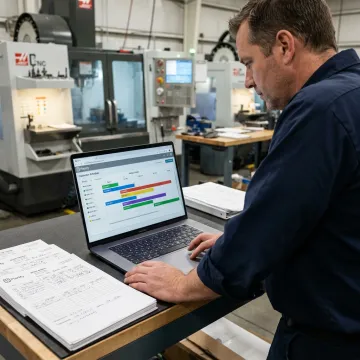
Planify covers the core scheduling constraints job shops face every day, from capacity to disruptions.
Build schedules around real capacity, setup, run, teardown, move time, shift calendars, and operation dependencies so published plans match what the floor can actually execute.
Use Active or Pretend mode to test rush orders, machine breakdowns, and priority changes before committing a new board that preserves every constraint.
Schedule work inside real first, second, and third shift calendars, including overtime rules, holidays, weekend closures, exceptions, and workforce availability constraints.
Model sequence-dependent setup times and group compatible work orders so machines spend more time producing and less time waiting on changeovers.
Enforce multi-operation routings and parent-child work order dependencies so downstream operations never begin before required upstream work is complete.
Pull work orders, routings, and work-center data from your ERP while using Planify as the practical scheduling layer for finite capacity planning.
Planify gives job shop manufacturers a practical way to publish production schedules that reflect the real shop floor. Instead of relying on spreadsheet guesses or ERP plans that ignore capacity, your planner can model work centers, routings, setup windows, shift calendars, and disruptions together. The result is a living schedule that supports confident commitments and faster daily decisions.
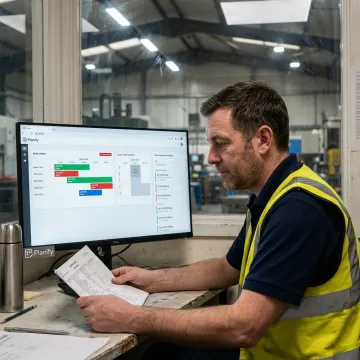
Planify is built to make advanced finite scheduling practical for real manufacturers.
Comprehensive finite scheduling built specifically for the messy reality of manufacturing shop floors.
Spreadsheet-familiar workflows help planners adopt constraint-aware scheduling without heavy APS complexity.
Small-batch onboarding connects ERP data, routings, work centers, and calendars with hands-on guidance.
Pretend mode lets teams preview disruption impact before committing schedule changes.
A focused software team helping planners schedule confidently.
OnePlanify builds Planify for manufacturers that need realistic production schedules without the weight of traditional APS deployments. The product is focused on the complex, everyday realities of shop floors: setup changes, shift calendars, multi-operation routings, dependency chains, and unexpected disruption. Instead of forcing planners into a rigid enterprise system, Planify delivers comprehensive finite scheduling in a browser-based workspace that feels as approachable as a spreadsheet. The team’s onboarding model is intentionally small-batch and hands-on, helping manufacturers connect ERP work orders, routings, work centers, and calendars so the first schedule is grounded in real production data.
A finite scheduler creates production plans using actual available capacity instead of assuming every work center can run unlimited jobs at once. It accounts for machine availability, shift calendars, setup time, routing order, labor constraints, and due dates. For job shops, finite scheduling produces a more realistic plan that supervisors can follow on the floor.
Get practical answers about fit, setup, and scheduling workflows.

Built around real manufacturing scheduling constraints.
Comprehensive scheduling with spreadsheet-like usability.
Designed to work alongside existing ERPs.
Tell the Planify team about your floor, work centers, routings, and scheduling challenges. We’ll help determine whether Planify fits your operation and next onboarding cohort.
To help us assist you faster, please include the reason for your message so the relevant team can reach out as soon as possible.
To help us assist you faster, please include the reason for your message so the relevant team can reach out as soon as possible.