Finite Scheduling
Build schedules that respect real capacity, setup times, shift calendars, and operation dependencies, using forward or backward sequencing from due dates instead of infinite-capacity assumptions.

Planify by OnePlanify gives manufacturing shop floors a practical way to replace fragile spreadsheets and infinite-capacity ERP schedules with finite, constraint-aware production scheduling. Model real capacity, setups, shifts, dependencies, and disruption in a browser-based workspace planners can actually use, then publish schedules your foremen can trust.
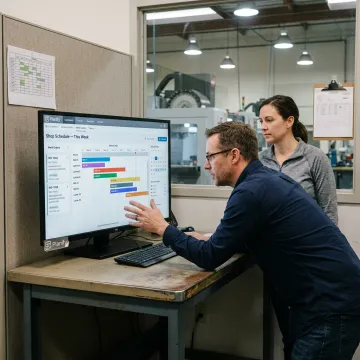
Planify covers the core scheduling constraints that make manufacturing shop floors difficult to plan accurately.
Build schedules that respect real capacity, setup times, shift calendars, and operation dependencies, using forward or backward sequencing from due dates instead of infinite-capacity assumptions.
Model rush orders, machine downtime, or priority changes in Pretend mode before committing, then replan the full board in seconds while preserving every constraint.
Schedule work inside actual first, second, and third shifts, including overtime rules, weekend closures, holidays, workforce availability, and per-work-center calendar exceptions.
Account for sequence-dependent setup, teardown, move, and changeover time so compatible jobs are grouped and machines spend less time waiting on re-tooling.
Enforce multi-operation routings and parent-child work order dependencies so downstream operations never start before upstream work is actually complete.
Connect work orders, routings, work centers, labor entries, and dispatch data with your ERP through practical import and export workflows during onboarding.
Planify turns production planning into a living, constraint-aware schedule your shop floor can run. Instead of patching spreadsheets or accepting infinite-capacity ERP plans, planners can model setups, routings, shifts, dependencies, and disruptions in one browser-based workspace. The result is faster replanning, clearer delivery commitments, and schedules that stay aligned with real machine and labor capacity.
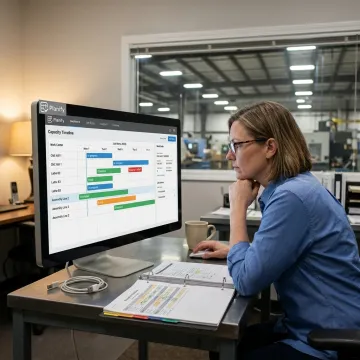
OnePlanify makes advanced finite scheduling practical for everyday manufacturing planning.
Planify models real capacity, not idealized ERP assumptions that shops cannot execute.
A spreadsheet-familiar workspace helps planners adopt finite scheduling without months of retraining.
Setups, shifts, dependencies, and disruption are built into the scheduling engine.
Small-batch onboarding helps manufacturers connect data and run real schedules faster.
Built for planners managing real manufacturing complexity.
OnePlanify builds Planify for manufacturers that need production planning software practical enough for daily use and powerful enough for real shop floor complexity. The product is positioned around one clear idea: comprehensive finite scheduling should be as easy to use as a spreadsheet. Instead of forcing teams into long consulting projects or rigid ERP scheduling modules, OnePlanify focuses on browser-based scheduling, small-batch onboarding, and hands-on setup using each manufacturer’s actual work orders, routings, work centers, and shift calendars. The vision is to help planners publish schedules that supervisors can trust, operators can follow, and customer-facing teams can use to make better delivery commitments.
Production schedule software helps planners sequence work orders across machines, labor, shifts, setups, and due dates. Planify focuses on finite scheduling, meaning it respects real capacity instead of assuming every work center can run unlimited work. The result is a schedule that reflects how the shop floor actually operates, including routing dependencies, changeovers, holidays, and disruptions.
Talk with the team about your scheduling challenges.

Browser-based scheduling with no on-prem installation.
Hands-on onboarding included with subscription setup.
Purpose-built for real shop floor constraints.
Request a scoping meeting to see Planify run against your own work orders, routings, calendars, and constraints.
To help us assist you faster, please include the reason for your message so the relevant team can reach out as soon as possible.
To help us assist you faster, please include the reason for your message so the relevant team can reach out as soon as possible.